
In short
Business software setup is choosing and configuring the systems your business runs on, such as inventory, CRM, invoicing and operations tools. DBS Maldives helps you select the right software, configure it around your processes, move your existing data across and train your staff to use it properly.
What is business software setup?
Business software setup in the Maldives means getting the right systems in place for the way your business actually operates, then configuring them so they work from day one. It covers selection, configuration, data migration and training.
The systems we typically set up include:
- Inventory and stock control for shops, wholesalers and resort suppliers.
- CRM to track customers, enquiries and follow-ups.
- Invoicing and quotations with consistent templates and numbering.
- Operations tools for bookings, purchasing, job tracking and approvals.
Good software that is badly configured is often worse than none. Staff work around it, data ends up in several places and reports cannot be trusted.
Who needs business software setup?
It is usually time to act when you notice one or more of these:
- Stock counts never match what the records say.
- Customer details live in phones, notebooks and personal email.
- Invoices are typed by hand and occasionally go out wrong or not at all.
- You are opening a second outlet or island location and need one view of both.
- You bought software that nobody uses properly.
How DBS Maldives helps
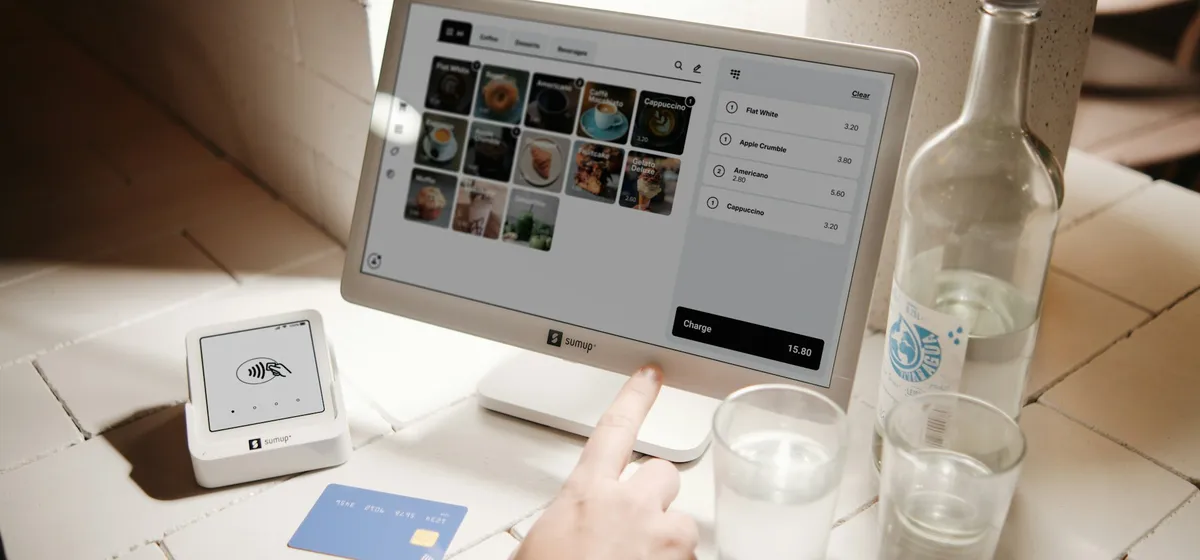
We act on your side. We map your processes, shortlist options that suit your size and budget, and configure the chosen system around how your team works. Where your systems need to talk to each other, we plan that too, for example linking stock to accounting software or to a POS system. If no off-the-shelf product fits, we can scope custom software instead.
How it works
-
Review
We walk through your daily operations and list what the system must do and what it can skip.
-
Select
We compare suitable options on fit, ease of use, support and ongoing cost, and recommend one.
-
Configure
We set up products, customers, users, permissions, templates and workflows to match your business.
-
Migrate
We clean your existing records and import them, then check totals against the old source.
-
Train and go live
We train each role on the tasks they actually perform and stay close while the system settles in.
What you'll need
- A short description of how orders, stock and payments move through your business
- Existing customer, supplier and product lists, in any format
- Samples of the invoices, quotations and reports you use today
- A list of staff who will use the system and what each person needs to do
- A named person on your side to make decisions during setup
Common mistakes to avoid
- Choosing software from a demo before writing down what you actually need.
- Importing messy data as it is and expecting the new system to fix it.
- Giving every user full access instead of setting roles and permissions.
- Training once, at launch, and never again as staff change.
- Running old and new systems side by side indefinitely.
To discuss your setup, send us an enquiry.
Frequently asked questions
What business software do Maldivian businesses commonly need?
Most need some combination of inventory or stock control, invoicing, a customer database and an accounting system. Businesses that sell over a counter also need a POS. The right mix depends on what you sell, how many locations you run and how many people use the system.
Can you set up cloud-based software?
Yes. We set up both cloud and locally installed systems. Cloud software suits businesses with several sites or owners who want to check figures remotely. We consider internet reliability at each location and plan how staff will keep working if the connection drops.
How long does business software setup take?
It depends on how many systems are involved, the state of your existing data and how many staff need training. A simple invoicing setup is far quicker than a multi-outlet inventory rollout. We agree a realistic plan with you after the initial review.
Will my existing data be moved to the new system?
Yes, where the data is usable. We clean and organise customer, supplier and product records before importing them, then reconcile totals with the old source so nothing is lost. Records that are outdated or duplicated are reviewed with you before they are dropped.
Do you provide support after go-live?
Yes. We stay involved after launch to answer questions, adjust settings and train new staff. Many issues only appear once real transactions run through the system, so we plan for a settling-in period rather than handing over and walking away.
Last reviewed 6 October 2026. Requirements change; we confirm the current rules with you before any application.