
In short
POS system implementation is selecting, setting up and launching the point-of-sale system your counter staff use every day. DBS Maldives helps you choose a POS system in the Maldives that fits your business, sets up products or menus and GST, connects it to your accounting software and trains your staff.
What is POS system implementation?
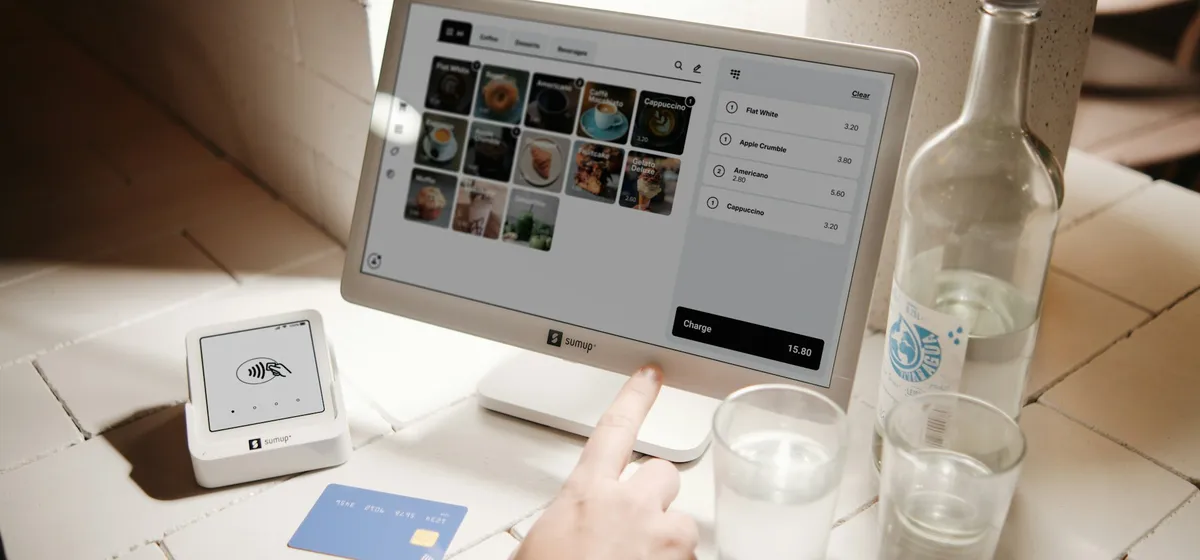
A POS system in the Maldives records every sale at the counter, prints or sends the receipt, takes payment and updates stock. Implementation is everything needed to make that work reliably: choosing the hardware and software, setting up your products or menu, configuring tax, connecting to your other systems and training staff.
The POS is often where a business first meets tax compliance in practice. MIRA has advised taxpayers that POS and accounting systems must be configured to capture the information required by tax law, and it is rolling out an e-invoicing system that integrates with taxpayers' systems.
Which businesses need a point of sale setup?
- Cafés, restaurants and takeaways that need table, kitchen and bar orders in one place.
- Retail shops, pharmacies and hardware stores with large product ranges.
- Guesthouses and resort outlets that charge sales to rooms or accounts.
- Businesses opening a new outlet or replacing a system staff have stopped trusting.
How DBS Maldives helps
We recommend a POS based on how your trade works. We plan the hardware for each counter, build your product list or menu with modifiers and pricing, and configure GST and receipts. Then we link sales to your accounting software so daily totals flow through without retyping. If you are not yet registered, we can also help with GST registration. Where the POS needs to share data with stock or ordering tools, we cover that as part of a wider business software setup.
How it works
-
Site visit
We look at your counters, kitchen or stockroom, internet connection and how a sale flows today.
-
Hardware and software selection
We recommend terminals, printers, scanners and cash drawers alongside the POS software that suits you.
-
Product and menu build
We set up items, categories, modifiers, prices, discounts and staff permissions.
-
GST and integration
We configure tax settings and receipts, and connect the POS to your accounting software.
-
Staff training and launch
We train cashiers, supervisors and managers, then support the start of live trading.
What you'll need
- Your full product list or menu with prices
- Your GST registration details, if registered
- A floor plan or photos of your counters and kitchen
- Details of any existing POS, accounting or stock software
- The payment methods you accept
- A list of staff roles that will use the POS
Common mistakes to avoid
- Buying hardware first and finding the software you want does not support it.
- Letting cashiers give discounts or void sales without a supervisor approval.
- Leaving tax settings at the vendor default.
- Keeping the POS separate from accounts, so daily sales are typed in twice.
- No plan for what staff do when the internet or power goes down.
Planning a new POS? Tell us about your business.
Frequently asked questions
What is the best POS system for a restaurant in the Maldives?
It depends on how you serve. A café with counter service needs something different from a restaurant with table service, a kitchen display and a bar. We compare options against your workflow, support availability in the Maldives and whether the system can be configured to capture what MIRA requires.
Does a POS system need to be set up for GST?
MIRA has advised taxpayers that POS and accounting systems must be configured to capture the information required by tax law. A GST-registered business should make sure tax settings and receipts are configured correctly. We confirm the current requirements before setting up your POS.
Can a POS system connect to accounting software?
Many can, either directly or through an export. Connecting them means daily sales, payment types and tax flow into your accounts without being retyped, which reduces errors. We check the connection options before you choose a POS and set up the link as part of implementation.
What hardware does a POS system need?
Usually a terminal or tablet, a receipt printer and a cash drawer, with barcode scanners for retail and kitchen printers or screens for restaurants. We specify what each counter needs, check compatibility with your chosen software, and help set everything up and test it.
Can you replace our existing POS system?
Yes. We review what is not working, export your product and customer data where possible, and plan the changeover so trading is not disrupted. Staff are trained on the new system before launch, and we support the early period of live use.
Is there a list of MIRA-approved POS systems?
We have not found an official public list of MIRA-approved POS systems, so be cautious of any product sold as approved. MIRA's guidance is that POS and accounting systems must capture the information tax law requires. We configure your system with that in mind.
Last reviewed 6 October 2026. Requirements change; we confirm the current rules with you before any application.